This tutorial shows how to make a decimal counter that starts at 0 and counts up to 9. You just toggle a power channel (zulu) to have it count. There's also info on how to set decals to display the counter.
My previous rushed attempt at a counters tutorial was a mess, so I simplified things and made images to make it easier to absorb. Here's what it looks like (hope animated gifs work):
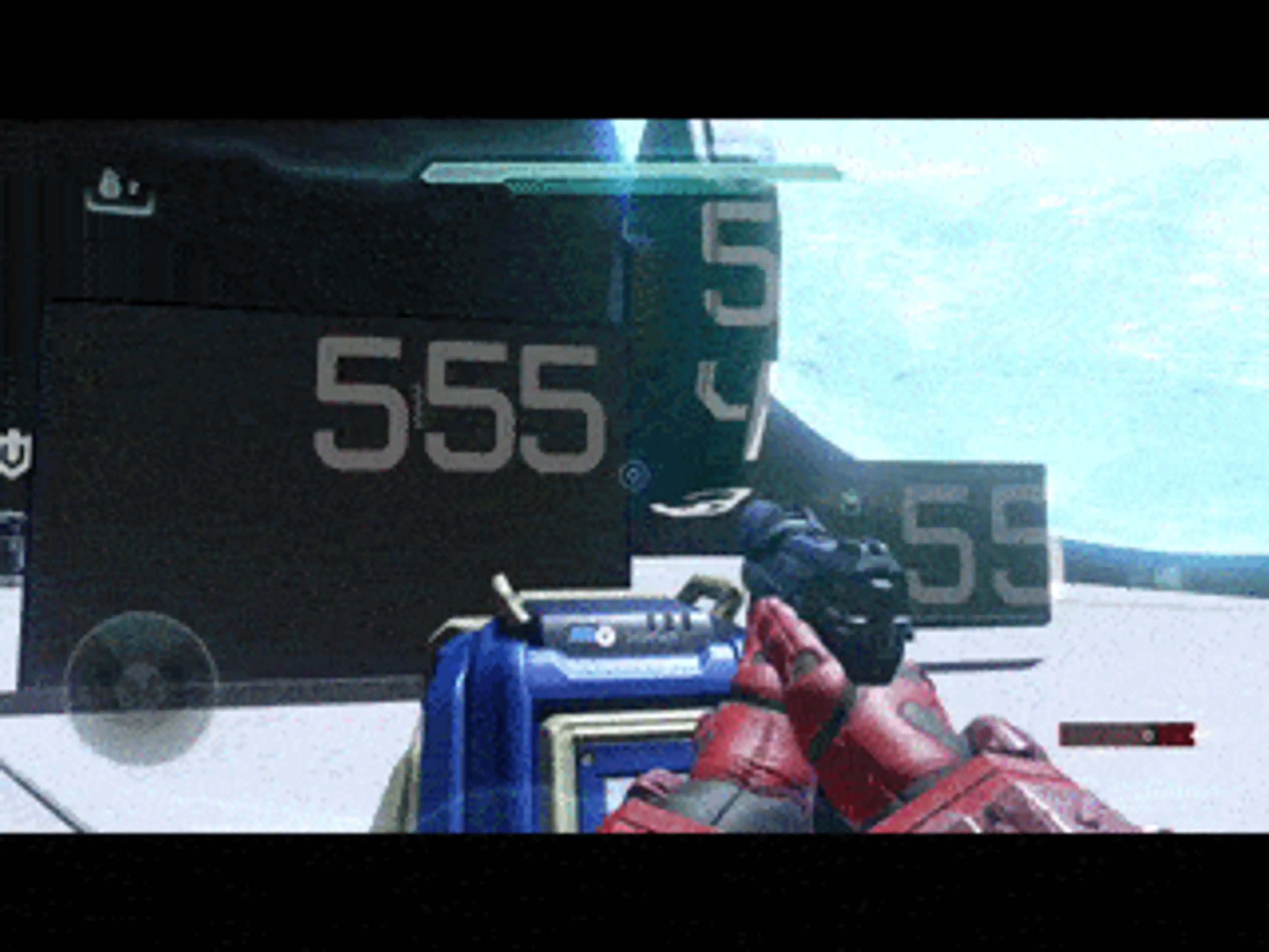
This is Forge footage. Decals don't seem to move in matchmaking.
There are tons of uses for counters. Time display, countdown timers, hit counts, pseudo scoring, activating game mechanisms (like raining down explosives on the other team's base when three of their pigs are knocked off their pedestals), etc.
The Decimal (0-9) Counter
This counter uses 5 scripts and 5 powers channels. More scripts will be needed to display the counter or have events that respond to it.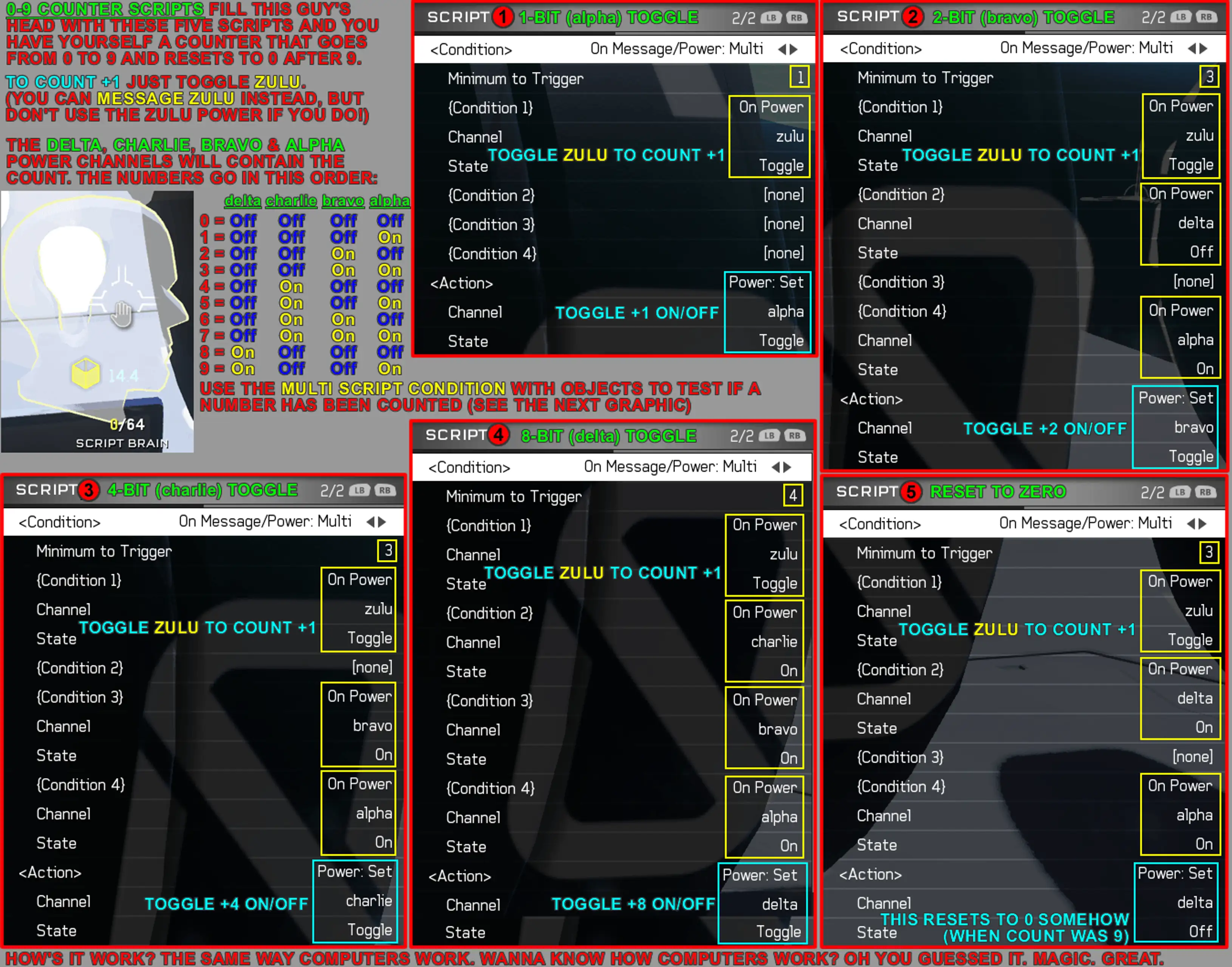
Note that you can activate the counter with a Message instead of a Power Channel Toggle. It's possible that two simultaneous toggles will cancel each other out. If you use the Message method instead, make sure you don't use that Channel's Power Settings (bug/feature that might get fixed).
Display the Counter With Decal Objects
The display just shows the current number using the decal object (Objects: Extras: Decals I think). Each decal needs 2 scripts, minimum. This sets you back 20 scripts. One script Despawns all the decals whenever the counter is toggled. The second script Spawns the decal that represents the new count.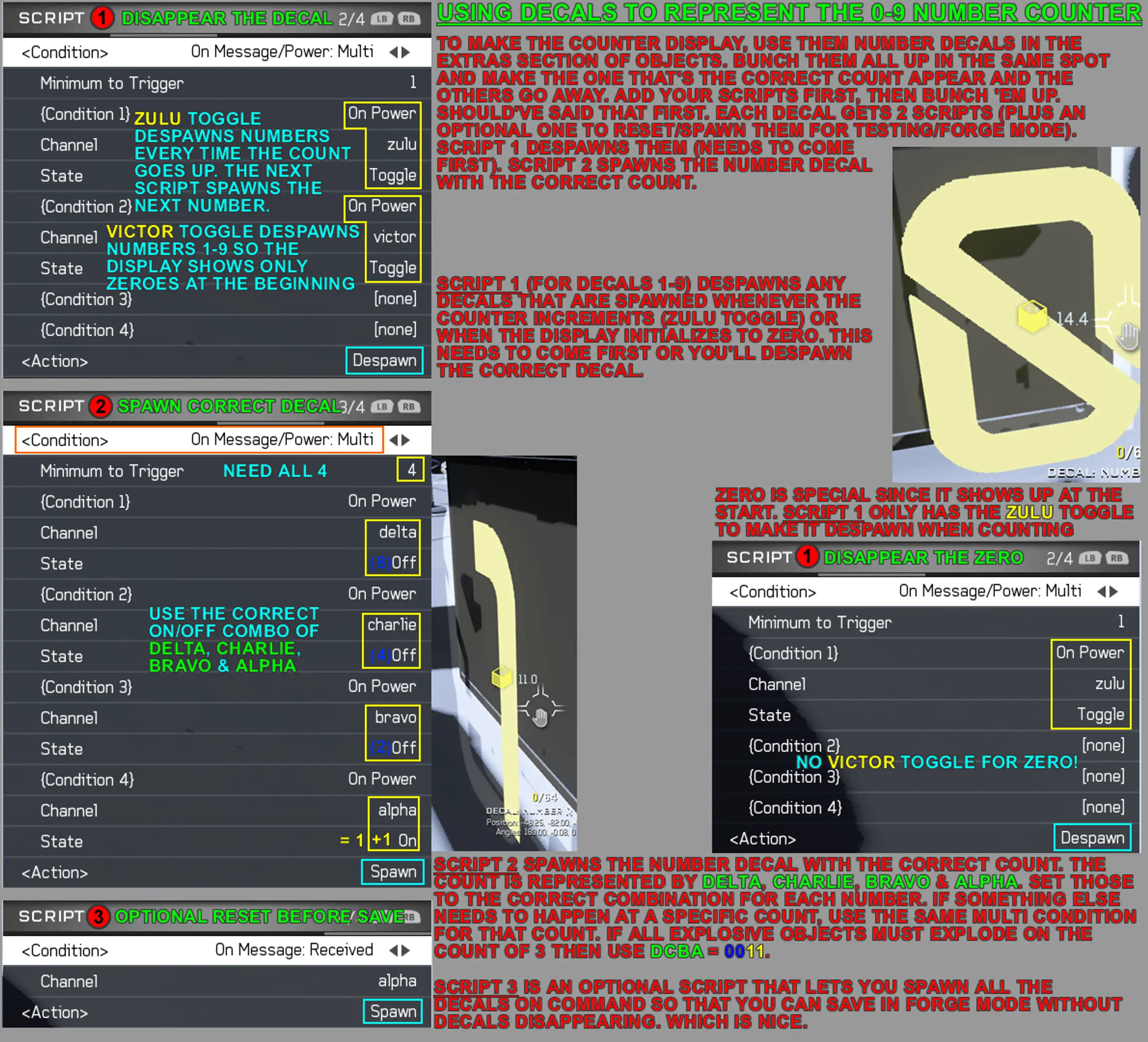
Here are Power Channel On/Off settings for the Script 2 for each decal. Hiding them in spoiler tags to avoid information overload.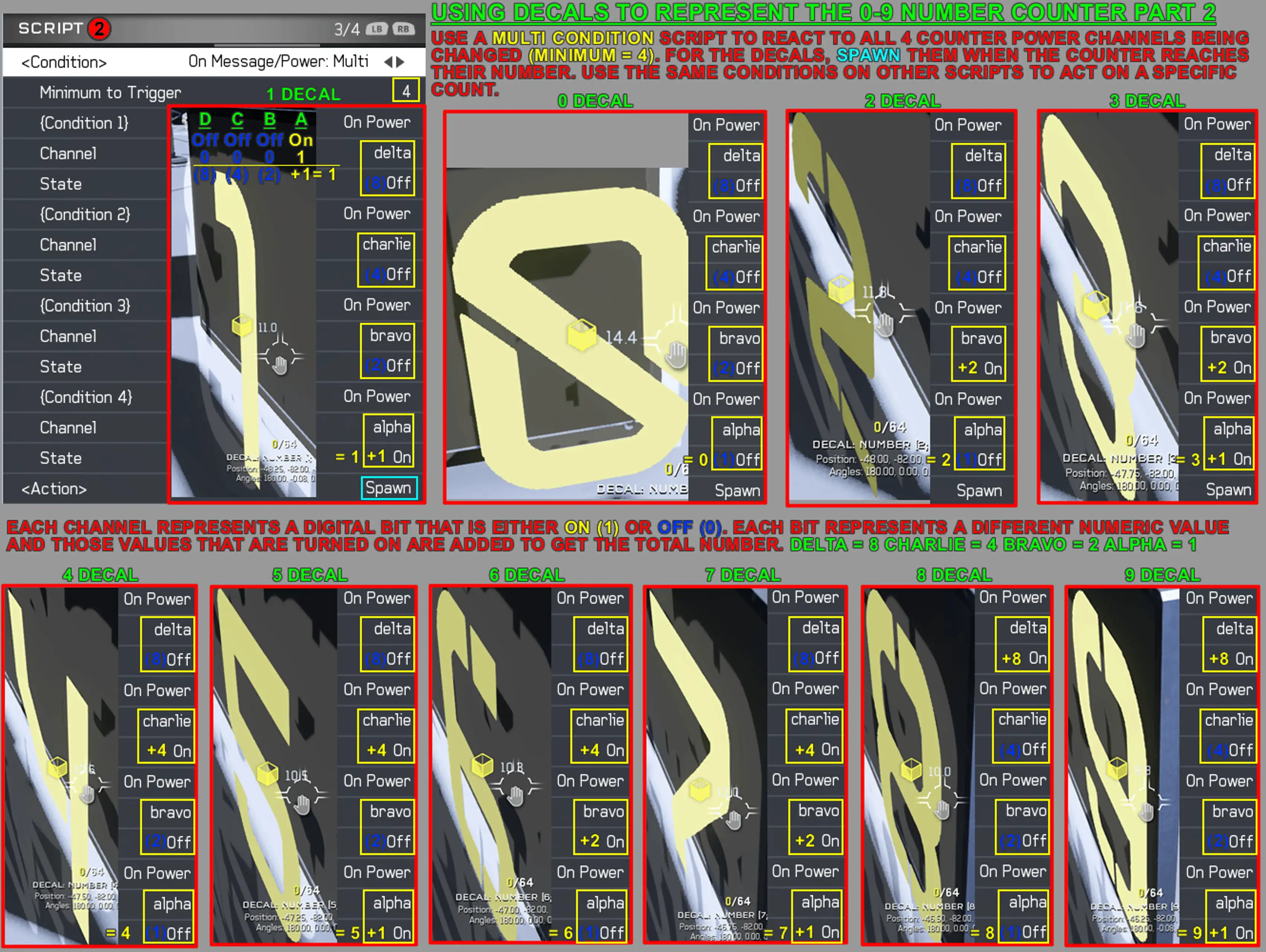
Chaining Counters
To chain a second counter to increment every time the first counter resets to zero, add a script that looks for Counter 1's zero value to occur and respond by toggling its activation power channel (or sending its message). If Counter 1 is set up like above (zulu, delta, charlie, bravo, alpha), then check to see if delta, charlie, bravo & alpha are all turned off and respond by toggling Counter 2's toggle (we'll choose yankee).
Condition: On Power/Message Multi:Minimum=4 (OnPower:delta:Off) (OnPower:charlie:Off) (OnPower:bravo:Off) (OnPower:alpha:Off)
Action: {Power:yankee:Toggle}
You can alternately use the same conditions that reset Counter 1:
Condition: On Power/Message Multi:Minimum=3 (OnPower:zulu:Toggle) (OnPower:delta:On) (OnPower:alpha:On)
Action: {Power:yankee:Toggle}
That's it. Other than having to set up a second counter.
Hope this one is more helpful. I'll try to update it if needed (0-5 counter for clock's tens digit, etc) or if I can create a nice demonstration course to display Counter uses. Grab a copy of my test maps "COUNTERS ##" (XBL: Yumudas Beegbut) if it'll help.