I feel that Ricochet has sort of been neglected in Halo 5 (understandably due to the lack of an official gametype). In an effort to give Ricochet more life in Halo 5 I've created Gametypes, Prefabs, and Ricochet variants of developer maps. I'm hoping that this will kick things off and encourage other's to forge and play Ricochet maps of their own.
Ricochet Gametype Logo
What is Ricochet?
Ricochet was never officially added to Halo 5 so I've attempted to recreate it using custom game options and forge. Ricochet is a gametype that was first introduced in Halo 4's Champions Bundle update seen here. We also saw it again in Halo 2 Anniversary. The game is played by two teams who try to score a ball into the opponent's goal. Points can be scored be either running the ball into the goal (5 points) or by throwing the ball into the goal (2 points). The first team to score 20 points wins.
Flagochet Gametype Logo
Introducing Flagochet:
Flagochet is a new variant of Ricochet where both teams have a flag that serves as the team's goal. This change allows for more dynamic gameplay where now players can move both their own and the enemies goals. Scoring works the same as regular Ricochet where ball runner goals score 5 points and ball thrown goals score 2 points. When a goal is scored the goal (flag) that was scored on resets back to it's initial location.
Gametypes:
Ricochet - Standard Ricochet Link
Shotgun Ricochet - Shotguns and plasma grenades Link
Vanilla Ricochet - No spartan abilities Link
Super Fiesta Ricochet - Random weapons (Check in-game fileshare)
Flagochet - Ricochet with mobile goals. Link
Maps:
Note: I've made changes to these maps to better suit Ricochet.
Coliseum (Ricochet) Link
Coliseum (Flagochet) Link
Fathom (Ricochet) Link
Fathom (Flagochet) Link
Mercy (Ricochet) Link
Mercy (Flagochet) Link
Torque (Ricochet) Link
Torque (Flagochet) Link
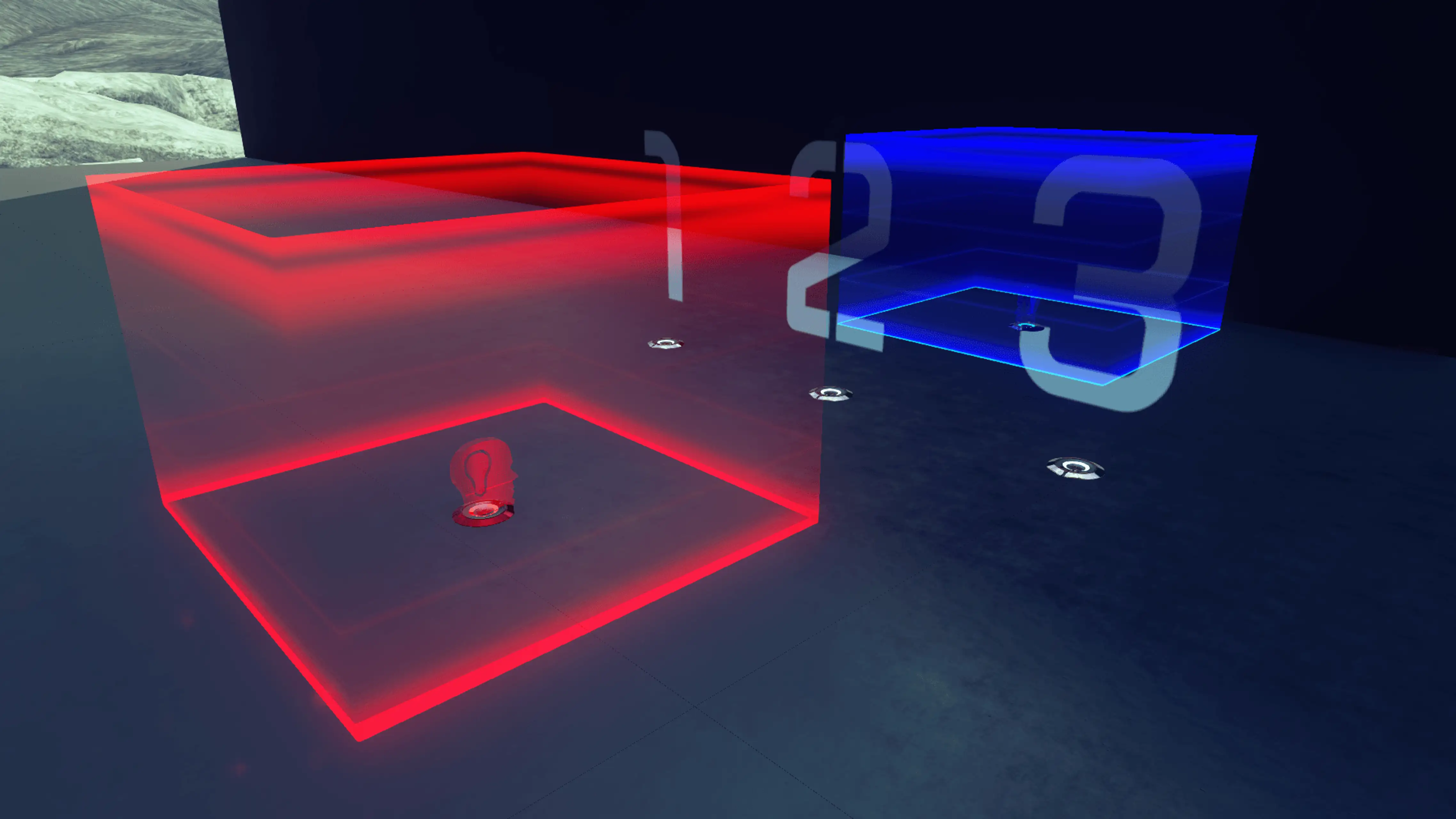
Ricochet Prefab
Ricochet Prefab:
Prefab Link
Side Notes:
-The script brains are for improved goal boundary visibility.
-The ball spawns are numbered to identify the order that the ball will respawn (you can delete the number decals if you like; they won't appear in-game)
Ricochet Prefab Instructions:
Setting up Ricochet on your own maps is extremely easy with this prefab; all you need to do is:
1. Place the prefab on your map.
2. Ungroup the prefab.
3. Move the goals and script brains to their respective sides (red goal and brain on the red team's side and blue team's goal and brain on the blue team's side.)
4. Place the three provided ball spawns where you'd like the ball to spawn.
5. That's it, you're done (it's a good idea to place invisible walls and blocks throughout your map to prevent the ball from being thrown in unreachable places).
That's all it takes to make a map Ricochet compatible.
FYI: You can always change to size and shape of your goals. To do this, select both the goal and script brain and change the boundary type and size. The boundaries of the script brain and the goal should align as long as they both have the same proportions, angles, and you use the magnets to align them together.
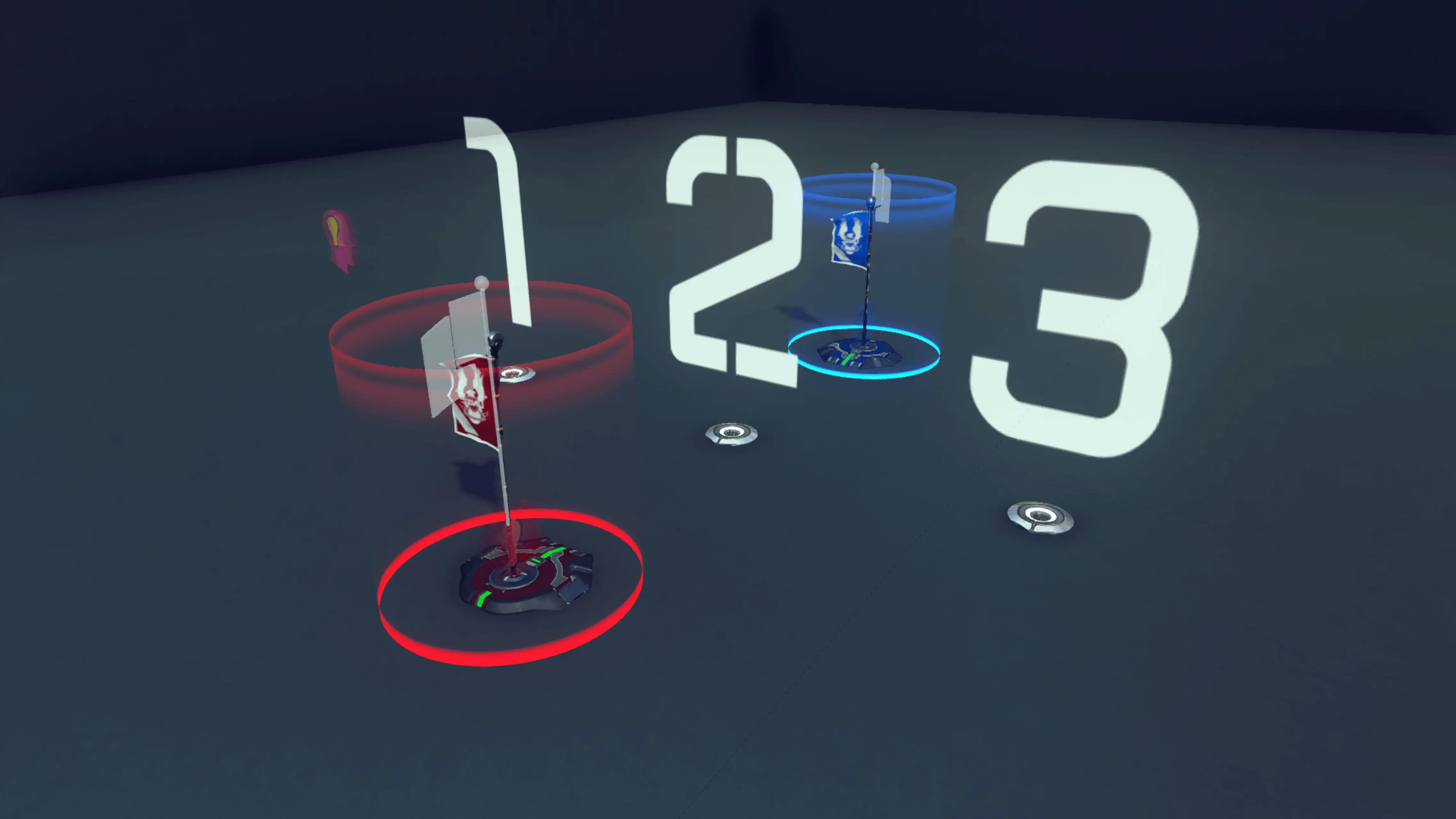
Flagochet Prefab
Flagochet Prefab:
Prefab Link
Side Notes:
-The pink brain will reset the flag back to it's originally placed position; use it's boundaries to cover the out-of-bounds area of your map. The pink brain is needed because kill volumes do NOT reset the flag position.
-The flag stands are purely cosmetic to inform players where the respawn location of the flag is (meaning you should place the flag on top of the flag stand on your map)
-The ball spawns are numbered to identify the order that the ball will respawn (you can delete the number decals if you like; they won't appear in-game)
Flagochet Prefab Instructions:
Same as the Ricochet instructions plus the following:
1. Place the prefab on your map.
2. Ungroup the prefab.
3. Place flag stands where you want to goals to be; then place the flag and matching color script brain on top of their flag stand. Note: The brain is scripted to follow it's respective flag.
4. Place the three provided ball spawns where you'd like the ball to spawn.
5. Take the pink brain and line the out-of-bound areas of your map using the brain's boundaries. Duplicate and resize the boundaries as needed. Note: You can skip this step and delete the pink brain if your map is completely enclosed.
6. That's it, you're done (it's a good idea to place invisible walls and blocks throughout your map to prevent the ball from being thrown in unreachable places).
Feel free to post your Ricochet maps here or just let me know if I could explain anything better or if you have any feedback.